Night City Racing
 Night City RacingProvided by GamePix · May contain ads





So wird gespielt
Follow the controls shown inside the game. Some games start with their own menu.
Die Sprache im Spiel legt der Entwickler fest. Verfügbare Sprachen findest du im Spielmenü.Über das Spiel
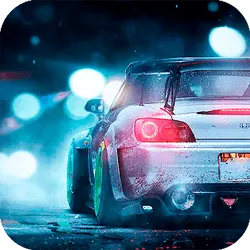
Night City has been prepared for the night races with this great car simulator game! It is time to challenge your opponents and prove to them you are the most skillful driver of all time. The best side of this adventure is to be played in both single player and in two player game modes. You can pick between various cars and you can customize these cars in the shop and you can have great moments while flying or while racing or while driving for free. Let the super Night City adventure begin! How to play? If playing single: Move: "W,A,S,D" or "ARROW KEYS" NOS: "L-SHIFT" or "R-SHIFT" Restart car position: "R" Look back: "T" Change camera view: "C" If playing two player: Player 1: Move: "ARROW KEYS" NOS: "M" Restart car position: "O" Look back: "P" Change camera view: "K" Player 2: Move: "W,A,S,D" NOS: "L-SHIFT" Restart car position: "R" Look back: "T" Change camera view: "C"


Beschreibung und Anleitung des Anbieters auf Englisch
Night City has been prepared for the night races with this great car simulator game! It is time to challenge your opponents and prove to them you are the most skillful driver of all time. The best side of this adventure is to be played in both single player and in two player game modes. You can pick between various cars and you can customize these cars in the shop and you can have great moments while flying or while racing or while driving for free. Let the super Night City adventure begin! How to play? If playing single: Move: "W,A,S,D" or "ARROW KEYS" NOS: "L-SHIFT" or "R-SHIFT" Restart car position: "R" Look back: "T" Change camera view: "C" If playing two player: Player 1: Move: "ARROW KEYS" NOS: "M" Restart car position: "O" Look back: "P" Change camera view: "K" Player 2: Move: "W,A,S,D" NOS: "L-SHIFT" Restart car position: "R" Look back: "T" Change camera view: "C"
Die Sprache im Spiel legt der Entwickler fest. Verfügbare Sprachen findest du im Spielmenü.